How to move or delete multiple files in your content library
The file management feature allows you to move or delete multiple files at once.
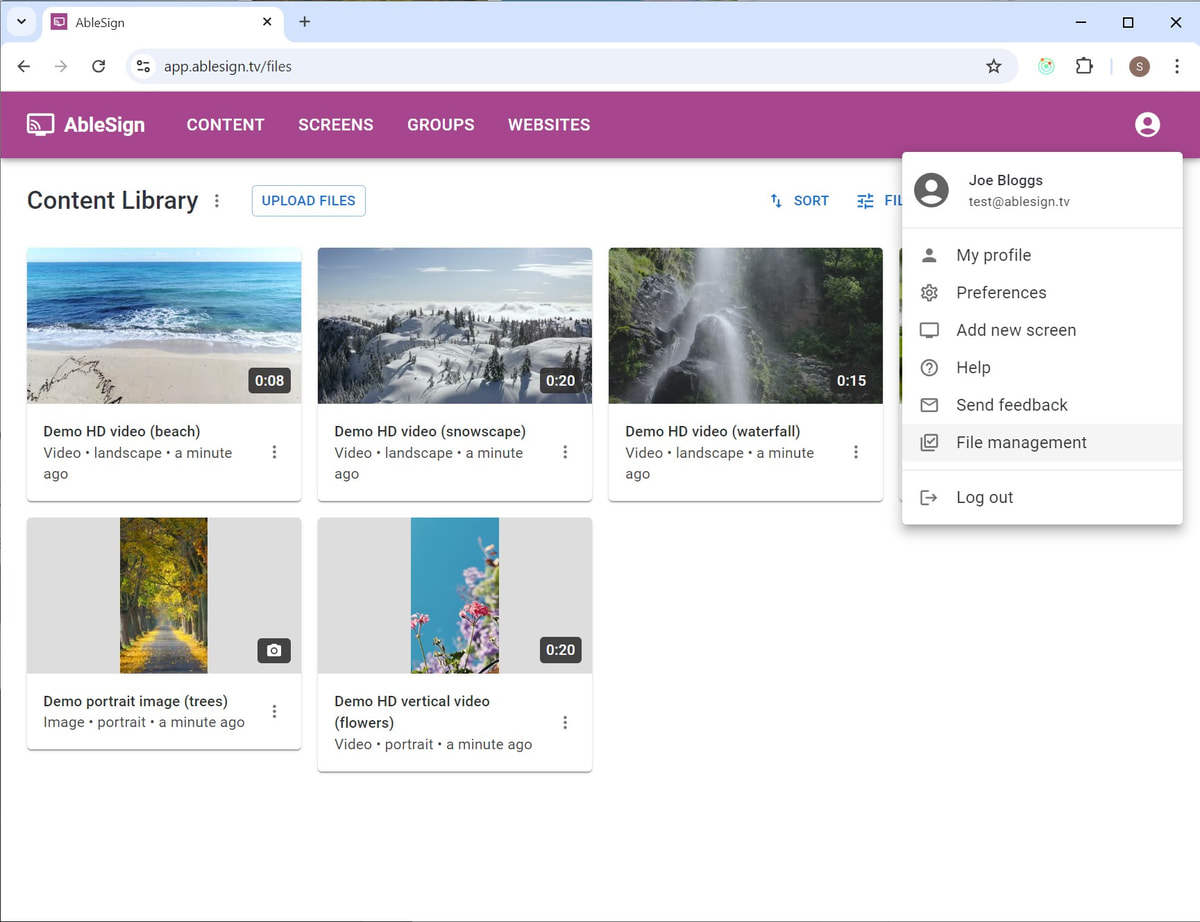
From the top app bar on any page select File management
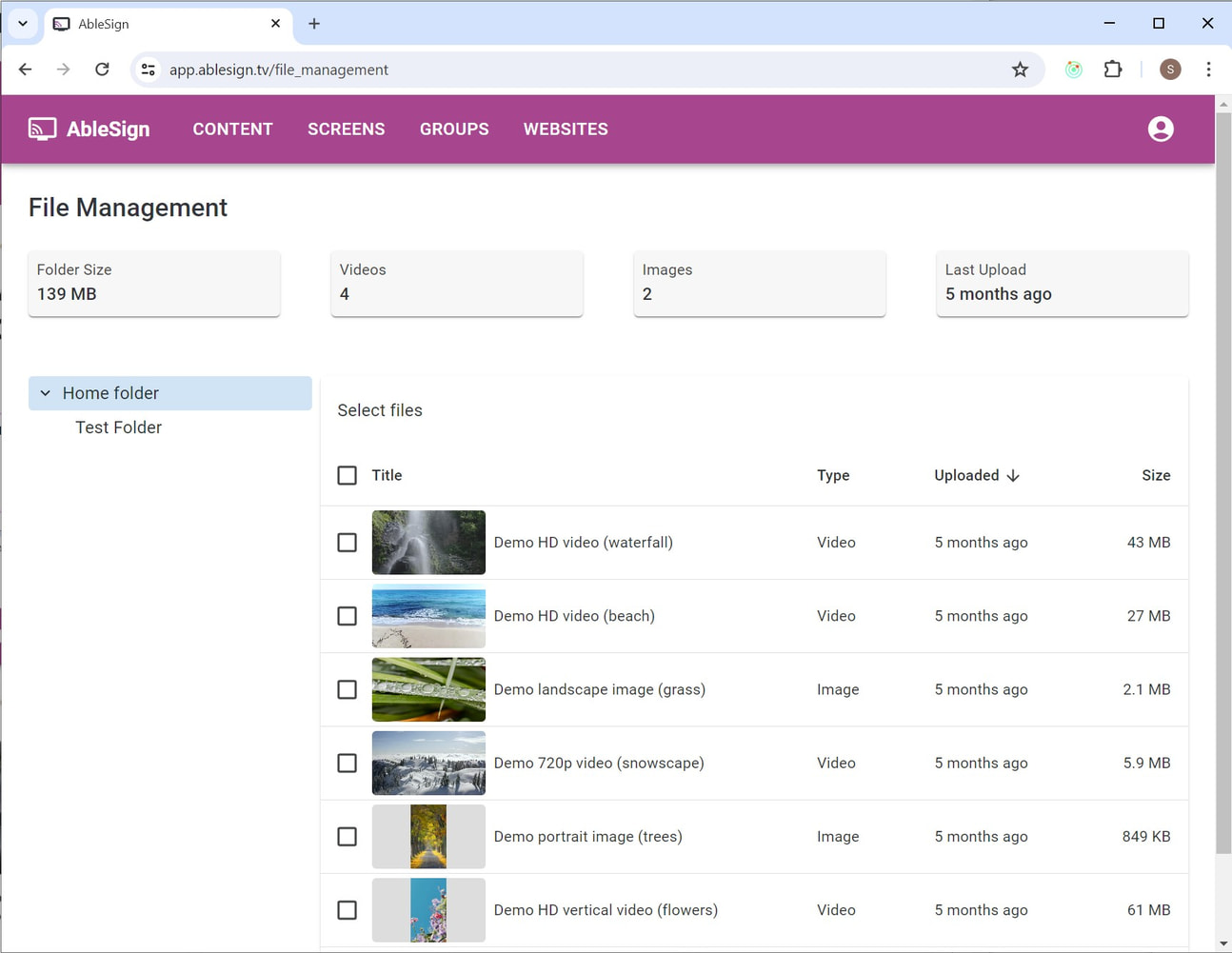
The file management page shows your folders in the left pane and files in the right. Select the folder to work with on the left.
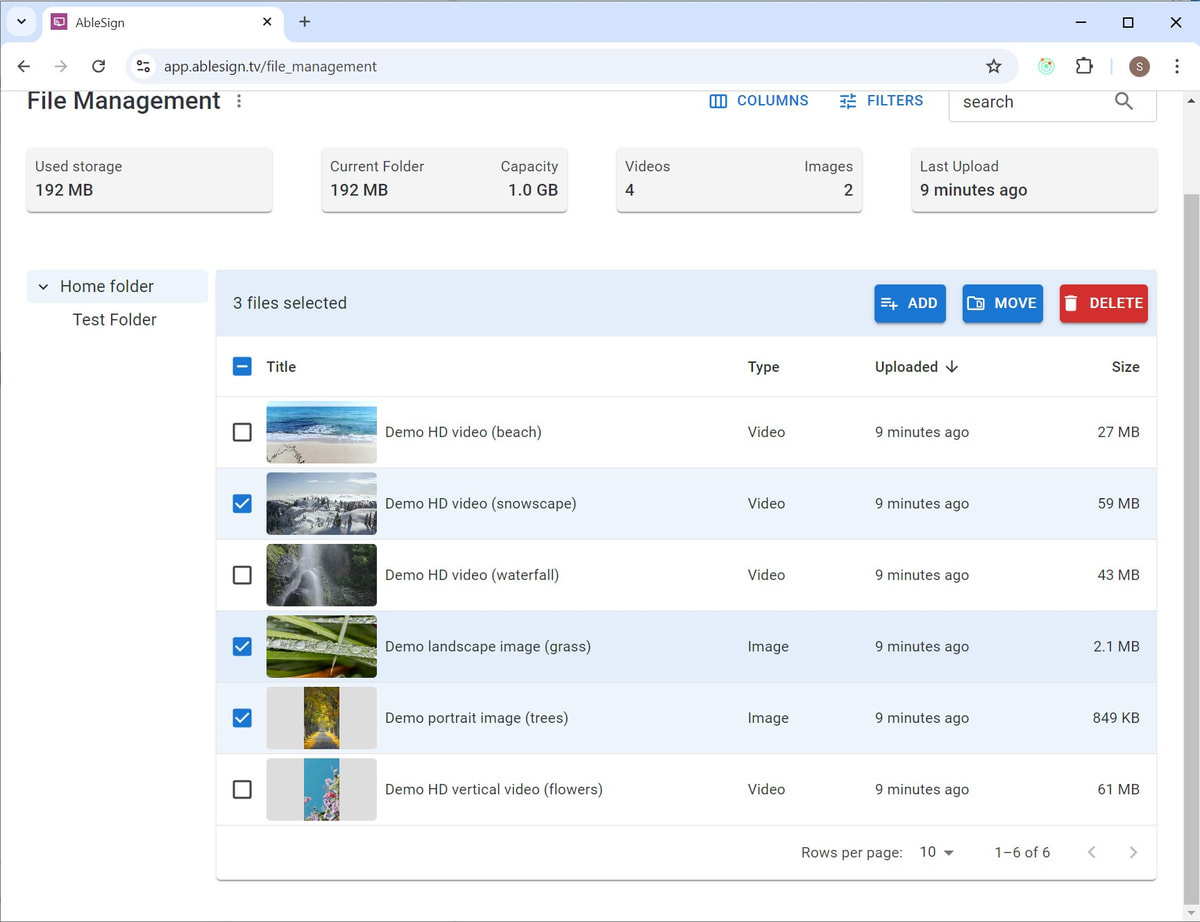
In this example we are going to select 3 files and move them to another folder. Select the files by clicking on them and then press the MOVE button.
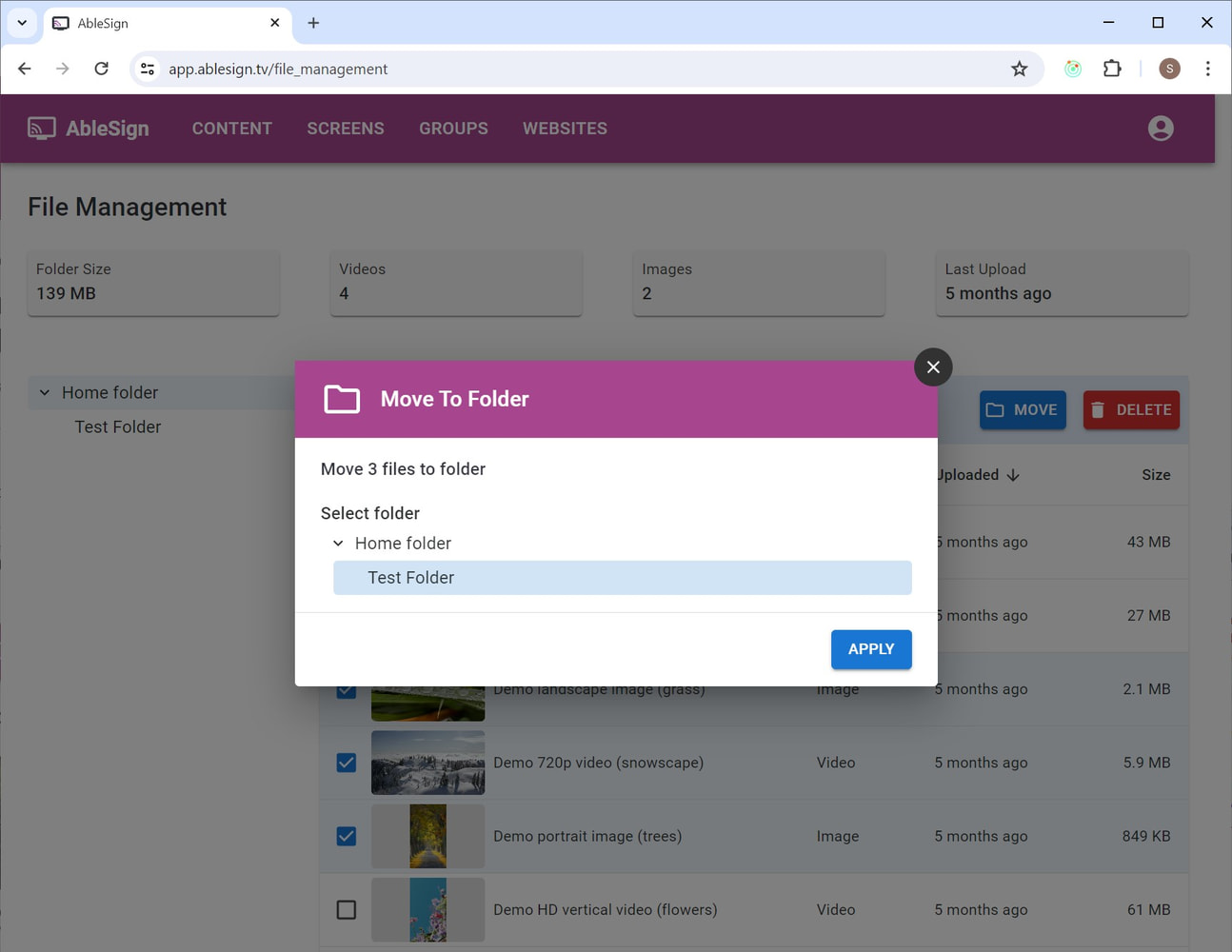
Now select the destination folder. Click APPLY.
The files will then be moved.
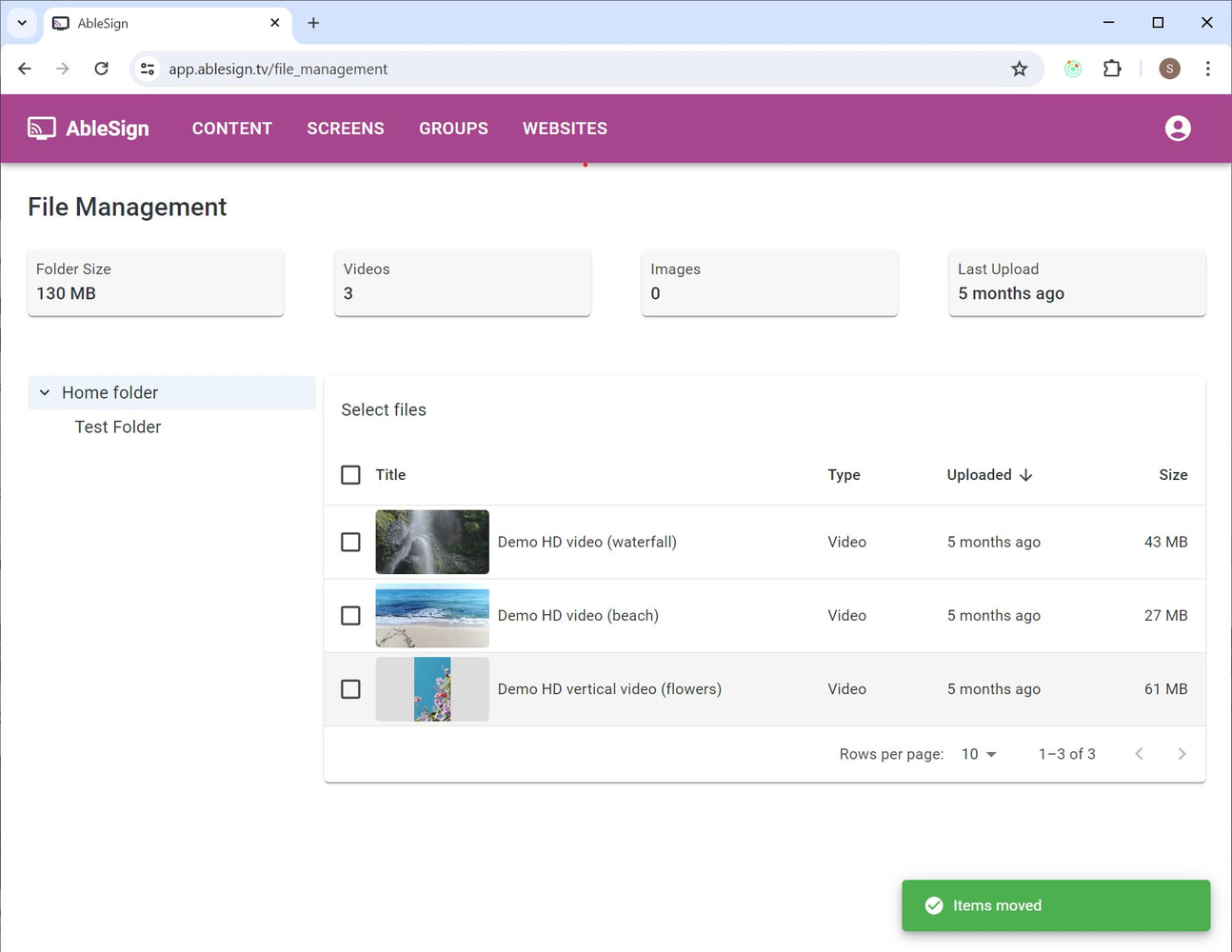
You can also delete multiple files using the same approach.
Select the files you wish to delete and then press the DELETE button. A confirmation window will appear.
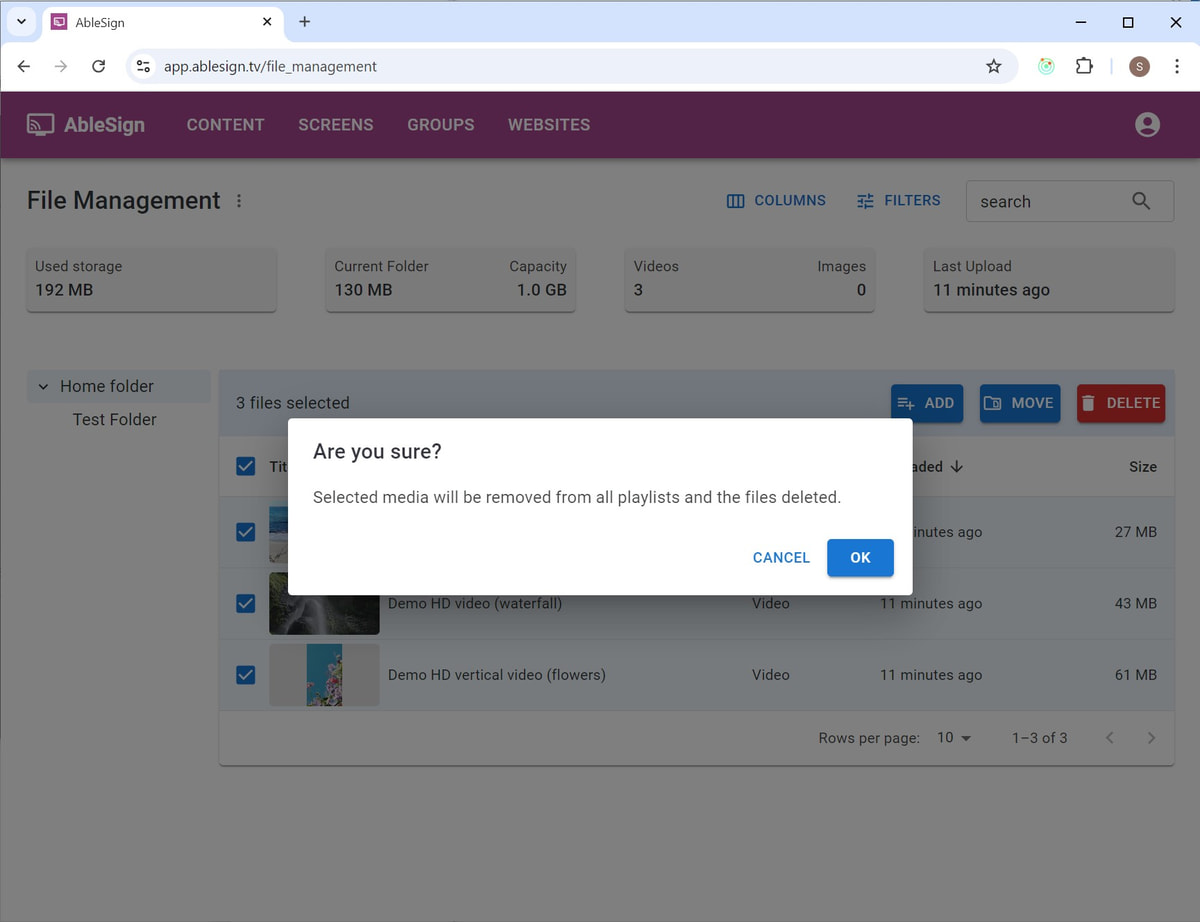
Click OK to confirm deletion of the files.
We hope you found this guide useful. If you have any questions or feedback about AbleSign please feel free to contact us at support@ablesign.tv.