What can we help you with?
How to add multiple files to a playlist
The file management feature allows you to perform bulk actions on multiple files. In this case we are going to add multiple video and image files to the playlist of a screen.
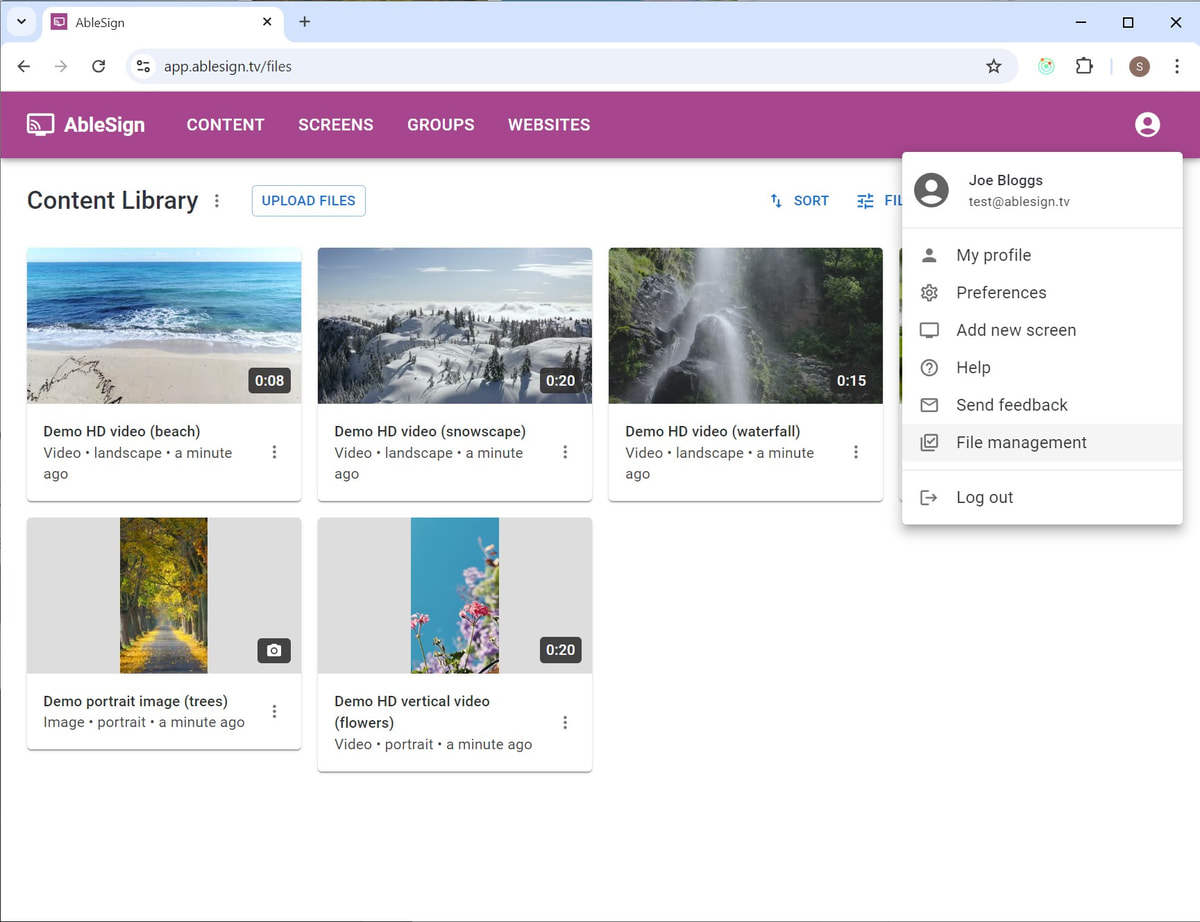
From the top app bar on any page select File management
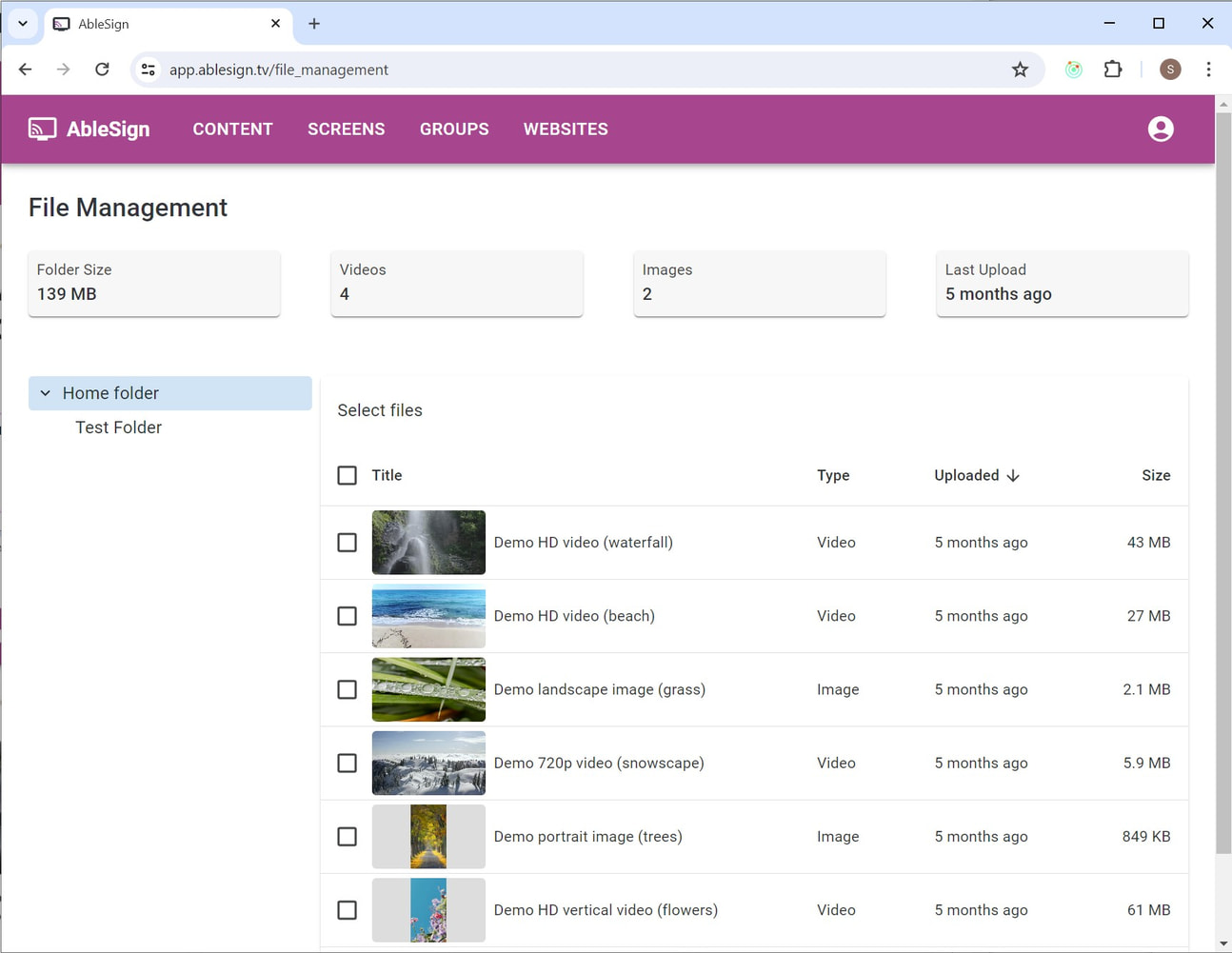
The file management page shows your folders in the left pane and files in the right. Select the folder to work with on the left.
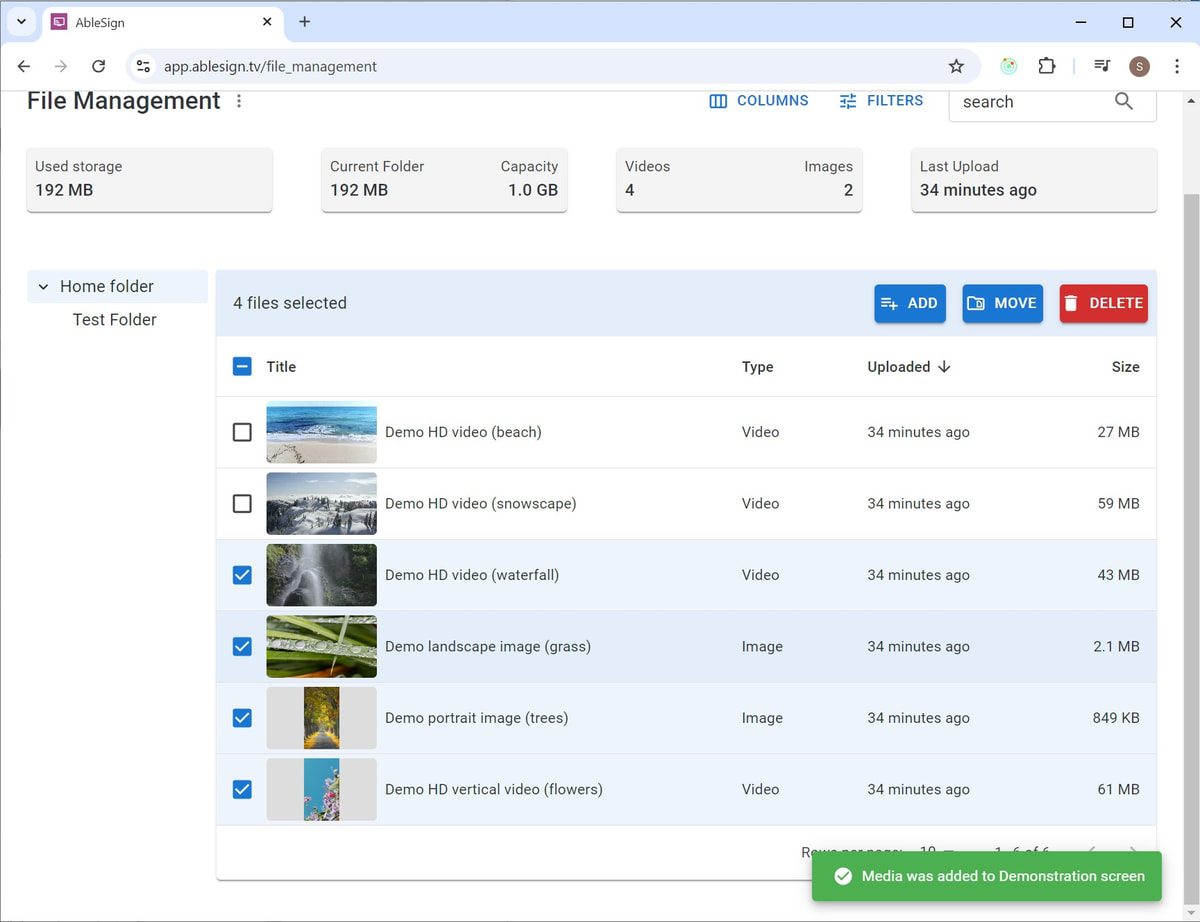
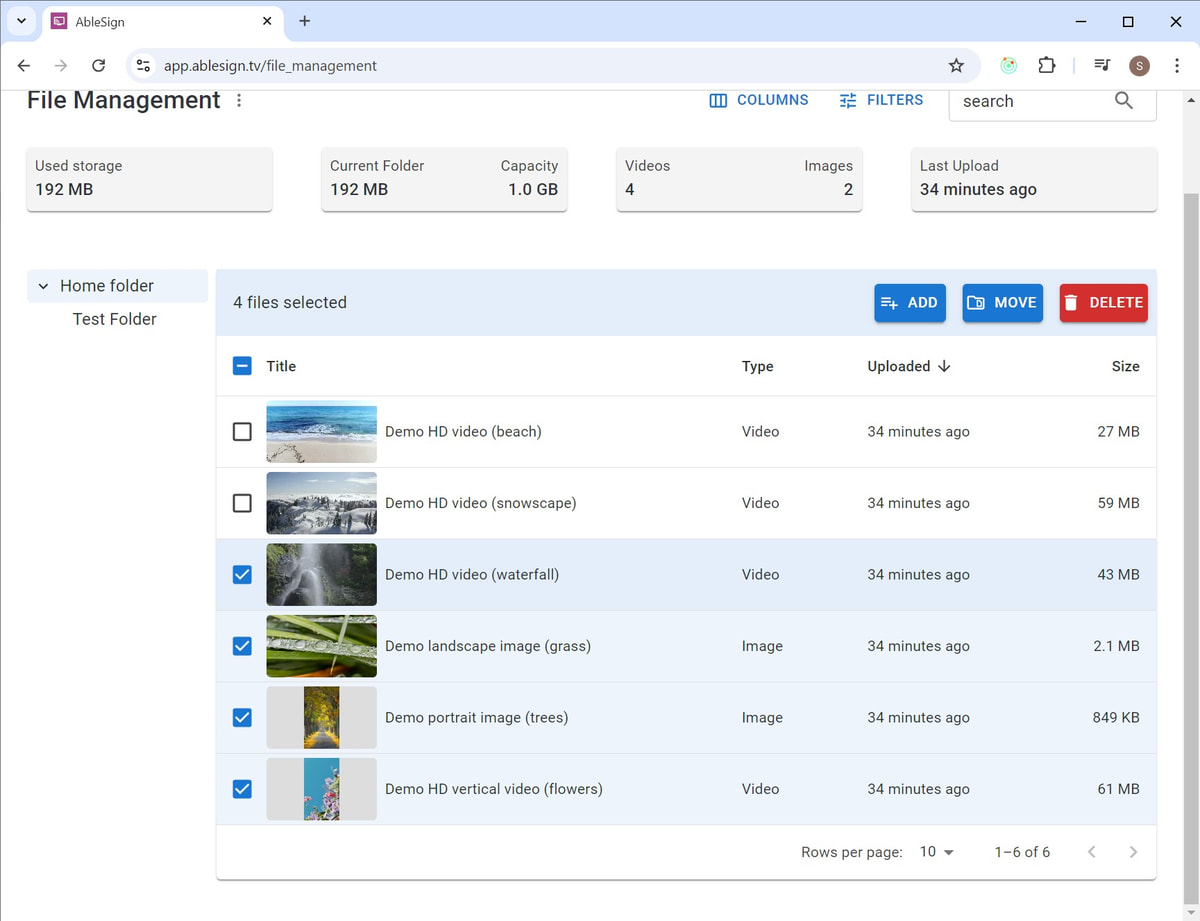
In this example we are going to select 4 files and add them to the playlist on our demonstration screen. Select the files by clicking on them and then press the ADD button.
You can select 1 or more screens to add the files to. Click APPLY.
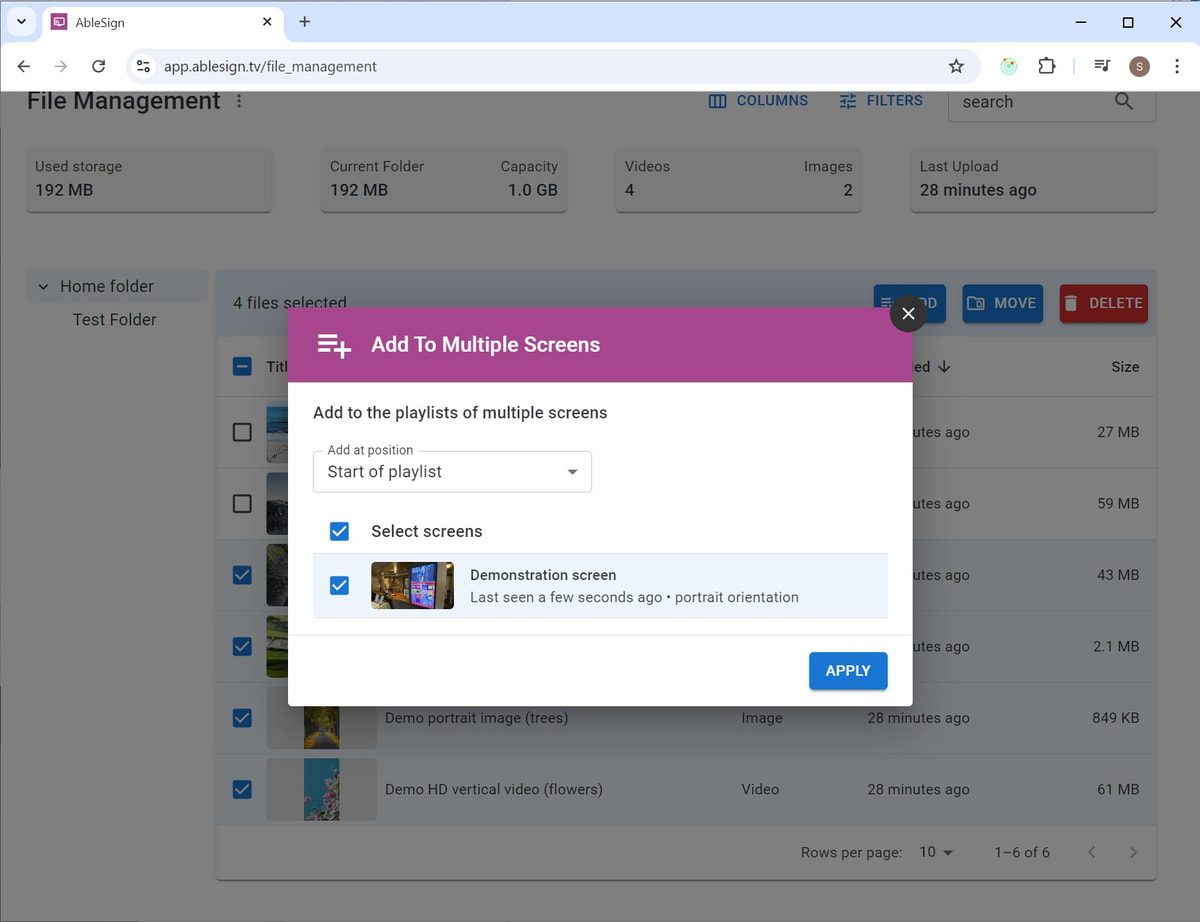
The files will be added to your screen.