What can we help you with?
App auto-start configuration for TCL tv’s
Some TCL branded tv’s have an additional layer of security that controls which apps can auto-start. If your TV has this feature you will need to configure it for AbleSign to auto-start correctly.
Get Started
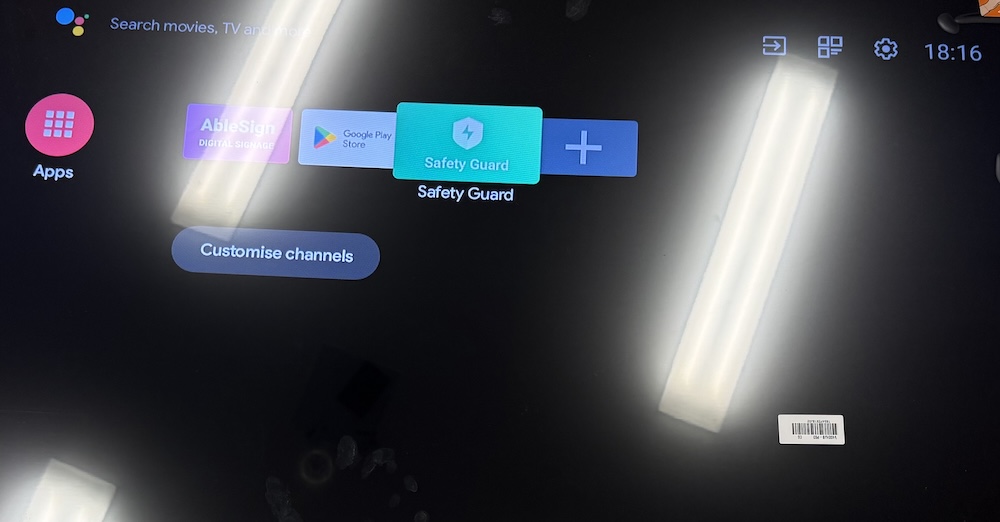
From the home screen select Safety Guard
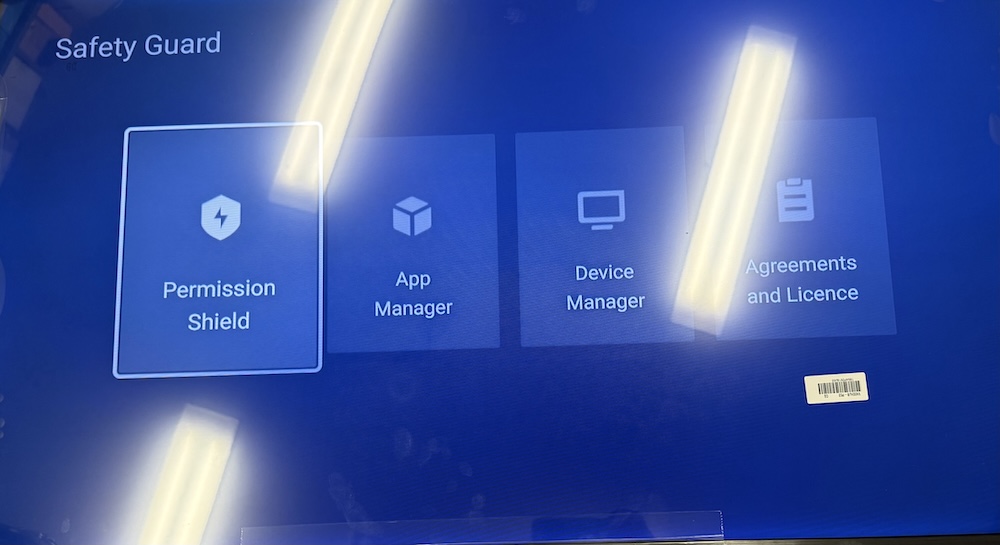
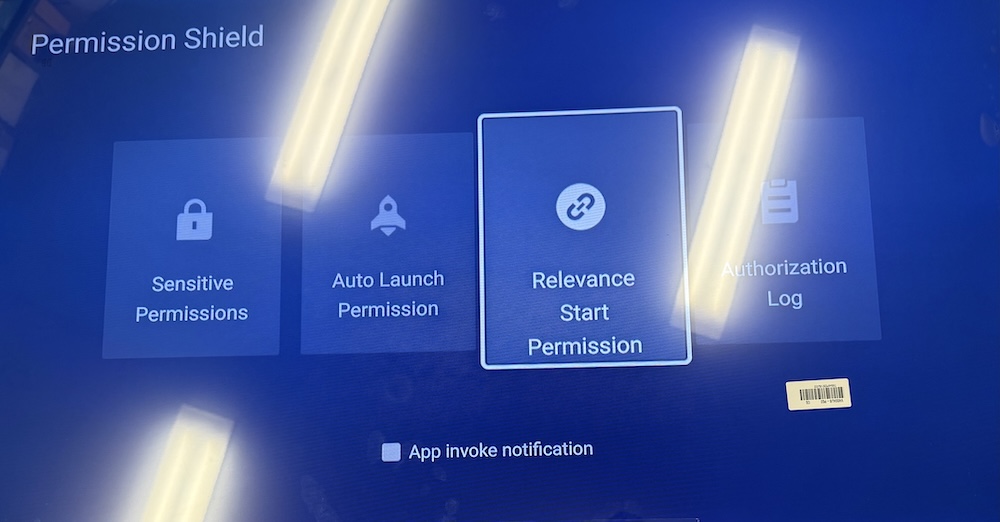
Now select Permission Shield
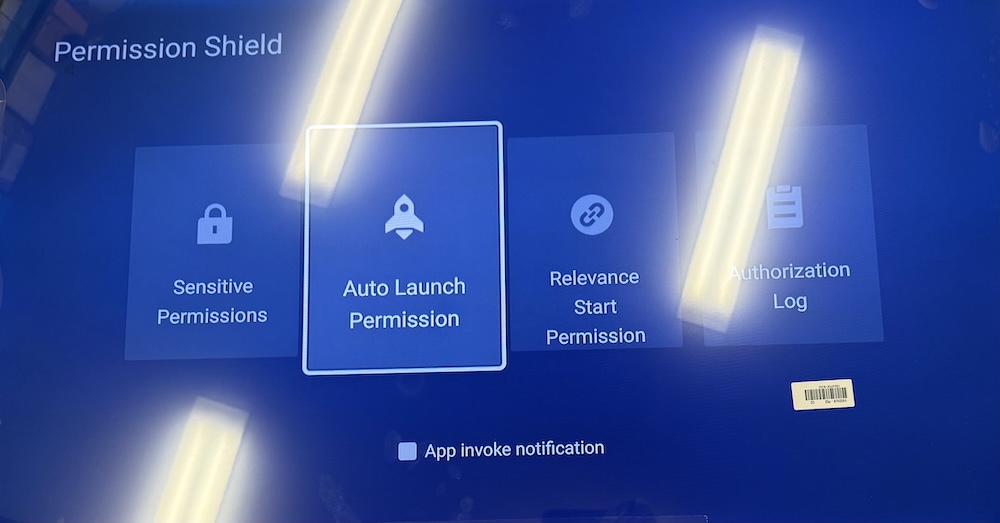
Now select Auto Launch Permission
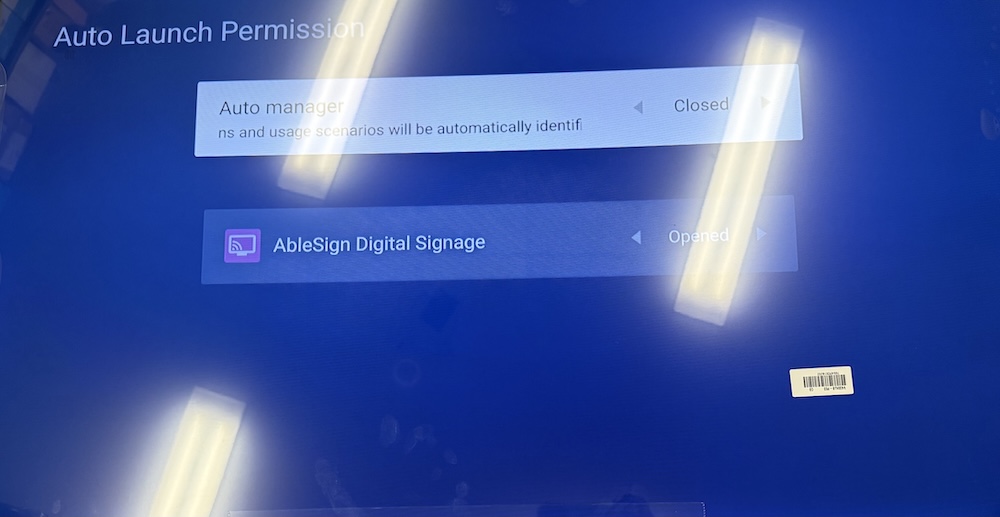
Make sure that Auto Manager is CLOSED and AbleSign Digital Signage is OPENED.
Now go back and select Relevance Start Permssion.
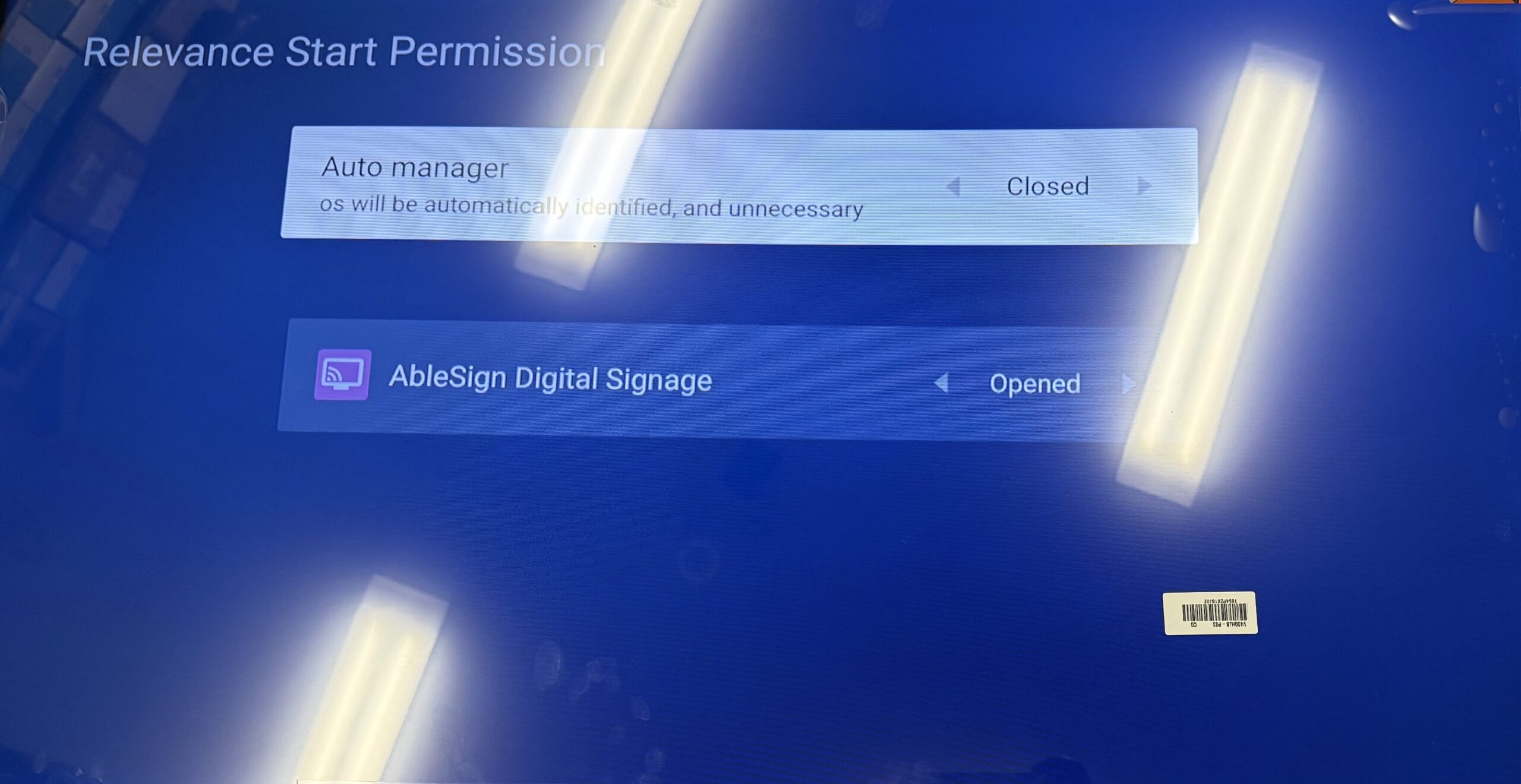
Make sure that Auto Manager is CLOSED and AbleSign Digital Signage is OPENED.
That’s it. AbleSign should now start automatically on your TCL tv.